Problem solved · Ordering
Only one person in the building could place the order.
Told by Torsten, chef and owner-operator. It was how we ordered at the restaurants I run, every week.
The problem.
We had an order guide for each vendor. The chef or a manager walked the line with it and wrote down everything we needed. Then they went to the computer and ordered on that vendor’s website. Or we took a picture of the sheet and texted it to the salesperson.
Both ways were cumbersome, and only one person could do it, because only one person had the login to whatever system we were using at the time.
The old sheets went on a clipboard. When a case didn’t show up, whoever took the delivery had to dig through it: was it never ordered, or did the vendor not have it?
How it runs now.
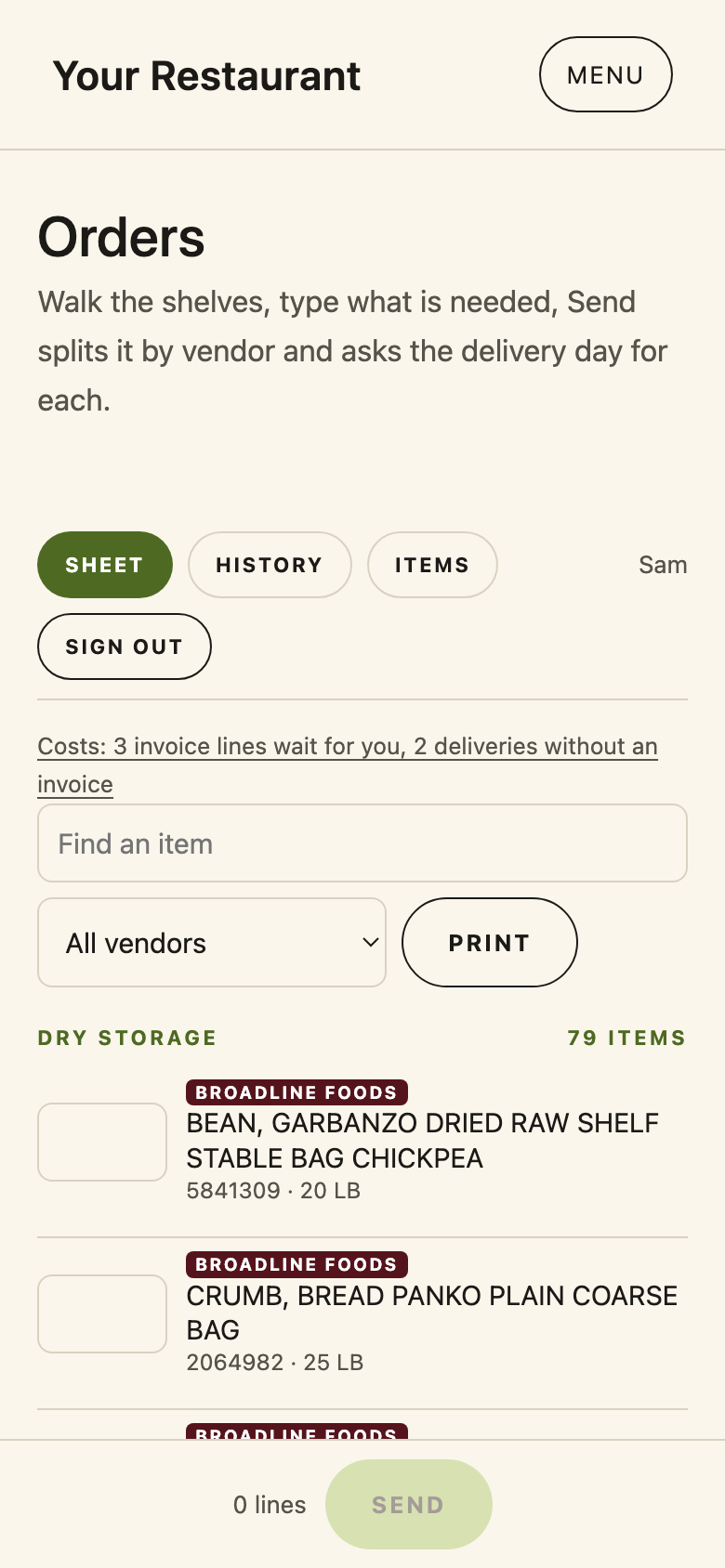
You open Orders on your phone and pick the vendor. The sheet is in the order of your shelves, so you walk the shelf with the phone in one hand: type the count, tap to the next line, type again. Then Send, pick the delivery day, and confirm. The system sends it to the vendor, by text or by email.
Anyone can walk the shelves, at any time. It doesn’t have to be me, and it doesn’t have to be the chef. You give a person ordering on their own phone, and that’s it. It saves a tremendous amount of time.
Every order is kept. Beside each item, the sheet shows what you ordered last time and when.
And if an order has to go out on a certain day, you tell the system the day and the hour. If nothing has gone to that vendor by then, you get a text: this order hasn’t been placed.
The parts that solved it.
- OrderingOne sheet in the order of your shelves, sent from any phone you allow.
- InvoicesWhen the invoice comes, every price is checked against the last one.
Real screens, with a made-up restaurant and made-up staff.
Has this happened in your kitchen?
Tell us what’s going on. We write back by email, and we can send you a private link to try ordering yourself, in a made-up restaurant.