Problem solved · The clock
“Chef, I forgot to clock out.”
Told by Torsten, chef and owner-operator. It happened at the restaurants I run, a few times every week.
The problem.
Not a week goes by without it, and some weeks it’s every other day: “Chef, I forgot to clock out.”
That’s not even the worst part. If you don’t go into the system and fix it right away, and some days you simply don’t have the time, the next day gets messed up too. Now you have two days to clean up.
So I’m in the system, changing the clock-in and the clock-out, adjusting break times, with the employee standing next to me talking about their time clock. It’s so much wasted time.
How it runs now.
Fifteen minutes after the shift ends, if someone is still on the clock, their phone tells them. Still at work, they tap Clock out. Already gone, the clock asks when they left.
They pick the time and tap once. The day closes, marked as entered from away, and the manager can see it. Nobody has to come find you.
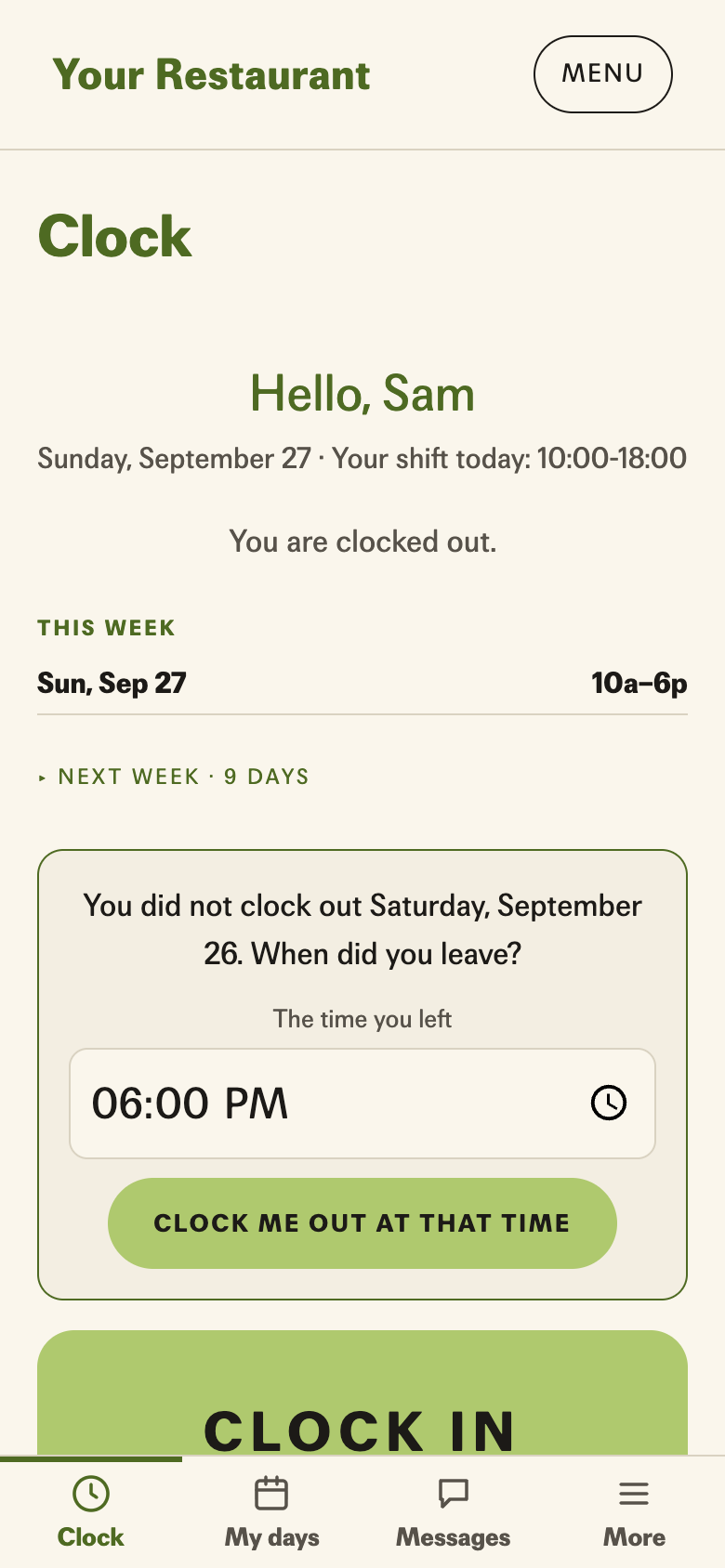
If they miss that too, the clock asks the next time they open it: “You did not clock out Saturday, September 26. When did you leave?”
A text works too, like “forgot to clock out, left at 10.” When the time fits their schedule, the clock enters it and tells them. When it doesn’t, it comes to you as a fix you make with one tap.
The pay sheet won’t let you approve a day that’s still open, so a forgotten clock-out can’t slip into pay.
The parts that solved it.
- ClockThe reminder after the shift, and the question when someone forgot.
- Pay sheetNo approval while a day is still open.
Real screens, with a made-up restaurant and made-up staff.
Has this happened in your kitchen?
Tell us what’s going on. We write back by email, and we can send you a private link to try the clock yourself, in a made-up restaurant.